What Is the Cartoon and Anime Photo Effect?
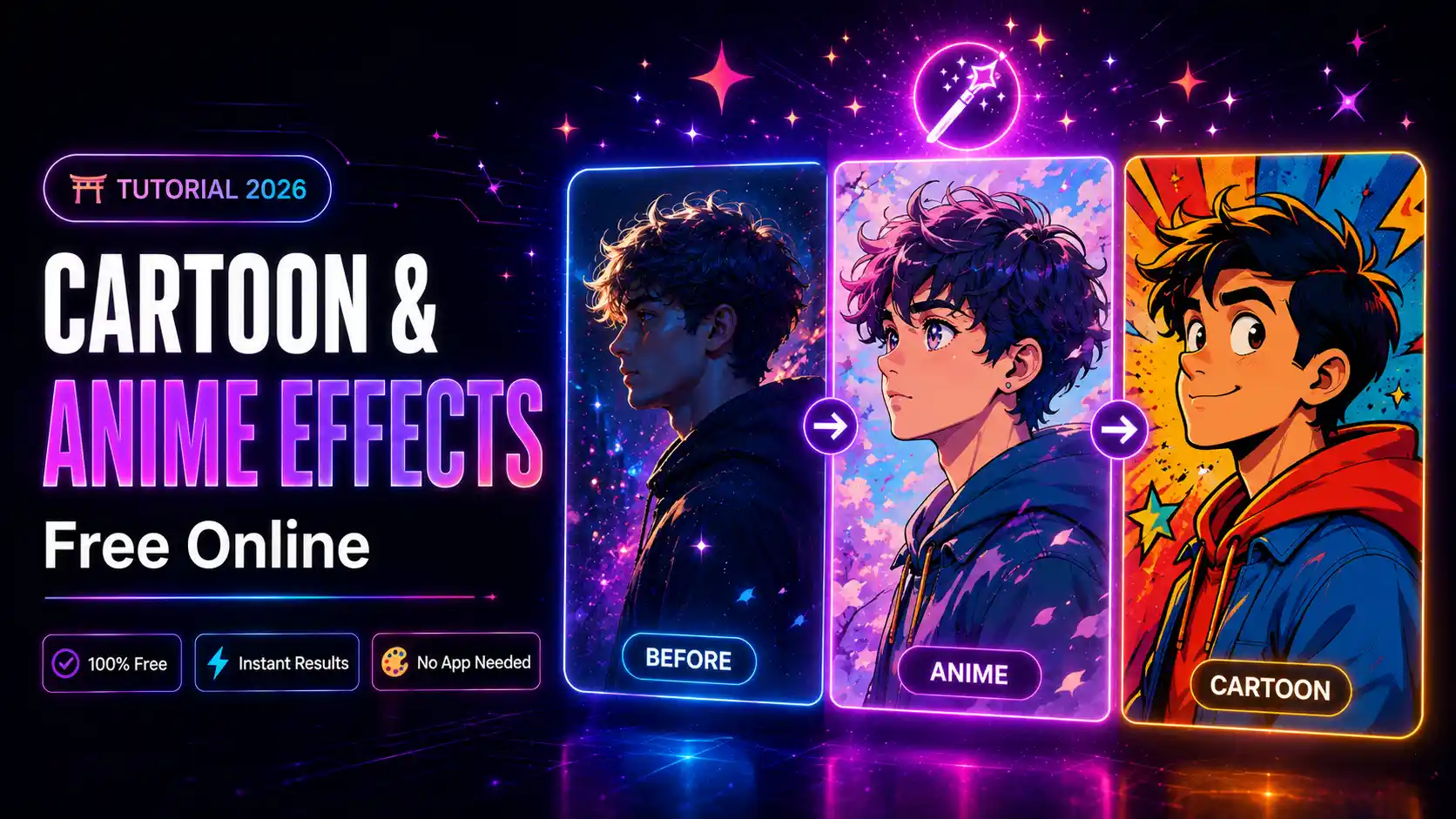
The cartoon and anime photo effect transforms any ordinary photo into a stylized illustrated character — smooth skin, bold outlines, vibrant colours, and that signature anime or cartoon look. It is one of the most popular photo effects on social media in 2026, used for profile pictures, memes, fan art, and viral content. And with mypiceffects.com, you can apply it completely free in seconds.Why Are Cartoon and Anime Effects So Popular?
- Profile pictures — unique, creative, and eye-catching
- Social media content — consistently goes viral on Instagram, TikTok, and Twitter
- Gift ideas — turn a photo of someone into cartoon art
- Fan communities — anime fan groups, gaming communities, art servers
- Privacy — use a cartoon version of yourself instead of a real photo Whether you want a smooth Japanese anime style or a classic Western cartoon look, mypiceffects.com has multiple effect options to suit your style.
- Smooth anime portrait — clean lines, large eyes, soft skin tones
- Classic cartoon — bold outlines, flat colour fills, comic-book style
- 3D cartoon — dimensional character style popular in animated films
- Sketch cartoon — pencil-outline style with minimal colour
- Chibi style — cute, small-proportioned anime character look
- Use a clear front-facing portrait photo
- Good lighting with a simple or plain background works best
- Avoid photos with multiple people — results are best with one main subject
- Higher resolution photos produce sharper cartoon output
- Register free — get 50 credits instantly on signup
- Daily redeem — claim 10 free credits every day from your dashboard
- That is up to 300 free photo effects per month — no payment needed
- Paid plans start from $5 for 500 credits if you need more
How to Apply Cartoon or Anime Effect Free Online
Step 1 — Visit the Effects Page
Go to mypiceffects.com/effects and browse the effects library. Use the search box and type cartoon or anime to filter directly to those effects.Step 2 — Choose Your Style
Hover over any card to see the before/after comparison — you will see exactly how the effect transforms a real photo into a cartoon or anime version. Click the card that matches the style you want. Popular cartoon and anime effect styles include:Step 3 — Upload Your Photo
Drag and drop your photo into the upload area, or click to browse files. JPG, PNG, and WebP are supported up to 10MB. Tips for the best cartoon and anime results:Step 4 — Generate Your Cartoon Photo
Click ✨ Generate Effect. Processing takes a few seconds. Your cartoon or anime version appears in the result area below.Step 5 — Download and Share
Click ⬇️ Download to save your cartoon photo. Use it as your Discord, Instagram, or Twitter profile picture, or share it directly in your Stories and posts.Cartoon Effects via API for Developers
If you are building a photo app, avatar generator, or social media tool, you can apply cartoon effects programmatically via the mypiceffects.com REST API:`
POST https://mypiceffects.com/api/generate
Authorization: Bearer YOUR_API_KEY
{
"effect_id": "22968319",
"photo_url": "https://yoursite.com/photo.jpg"
}
Response:
{
"success": true,
"media_url": "https://cdn.mypiceffects.com/result.jpg",
"type": "image",
"credits_remaining": 49
}
`
This makes it easy to build avatar generators, profile picture tools, and fan art apps — all powered by the same API.
How Many Free Cartoon Effects Can You Get?
You can try 2 effects without any account. For unlimited access:Try Cartoon and Anime Effects Free on mypiceffects.com
Visit mypiceffects.com/effects, search for cartoon or anime, upload your photo, and download your result in seconds — completely free. Register to unlock 50 credits on signup plus 10 free daily credits forever.Try It Yourself — Free!
Apply 100+ creative photo effects and video animations online. 50 free credits on signup + 10 free credits every day.