📖 Step-by-Step Tutorial

Apply Photo Effects
in Your Browser

No software to install. No account needed to start. Pick an effect, upload a photo, download your result — all in seconds.
Free to start
🖼️ Photo effects
🎬 Video animations
Results in seconds
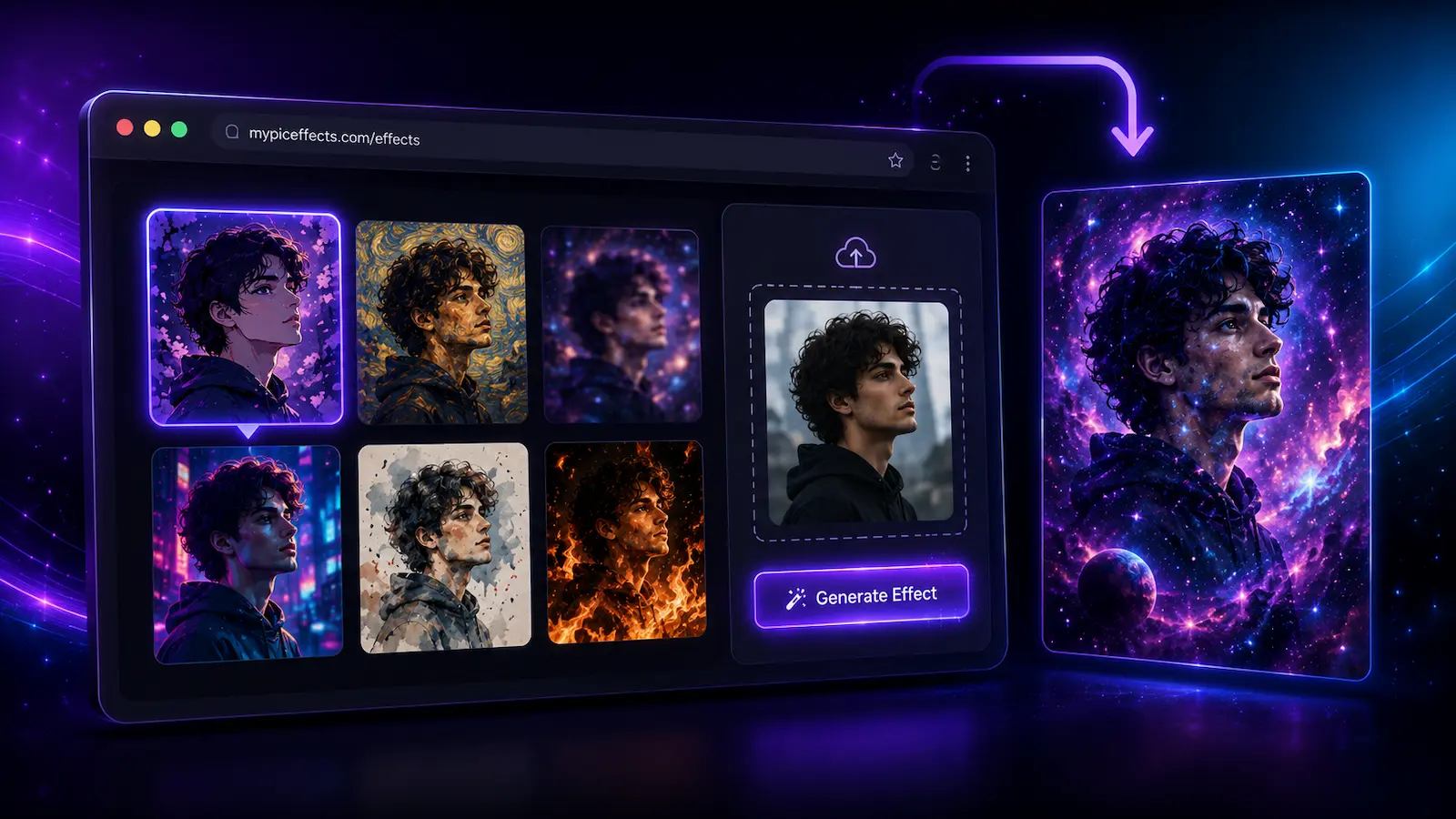
How to apply photo effects online for free on mypiceffects.com — visual showing browser interface with effects gallery, photo upload area, and downloaded result

How It Works

Four simple steps from browsing to downloading your result

1

Browse the Effects Library

Go to the Effects page to browse our full library of photo effects and video animations. Use the filter buttons at the top to narrow down by category — Top, Trending, or Recent additions. Hover any card to preview the before/after result.

mypiceffects.com/effects
All
⭐ Top
🔥 Trending
🆕 Recent
🌌
Galaxy Blur
🎨
Oil Paint
🌊
Water Ripple
🔥
Fire Glow
2

Click an Effect to Select It

Click any effect card — it highlights with a purple border to show it's selected, and the upload panel on the right becomes ready. You can switch effects at any time before generating, even after uploading a photo.

Select an effect
🌌
Galaxy Blur
🎨
Oil Paint
🌊
Water Ripple
🔥
Fire Glow
3

Upload Your Photo & Generate

Drag & drop your photo into the upload area on the right panel, or click to browse your files. Supported formats: JPG, PNG, WebP — max 10MB. Then click ✨ Generate Effect. Your result will be ready in seconds.

Upload panel
Galaxy Blur
🖼️ Photo Effect — 1 credit
📂
Drag & drop your photo here
or click to browse — JPG, PNG, WebP
✨ Generate Effect
4

Download Your Result

Your processed photo or video animation appears directly below the upload panel. Click ⬇️ Download to save it to your device. Want to try a different effect on the same photo? Click Try Another to reset and pick again — no re-upload needed.

Your result
🖼️
✅ Effect applied!
Video animations (.mp4) are downloaded as a file automatically.

How Credits Work

Credits are what you spend to generate effects. You get plenty for free — and they never expire.

🎁
50
Free credits
when you sign up
📅
+10
Free credits to redeem
every single day
♾️
0
Credits expire — they stay
in your account forever
🖼️
Photo Effect
Result is a processed image (JPG/PNG) — instant download
1 credit
🎬
Video Animation
Result is an animated video loop (MP4) — perfect for social media
2 credits
💡 Credits only deduct on success. If an effect fails for any reason, you are not charged. You can retry freely.

Without Account vs With Account

Try without signing up — or unlock the full experience with a free account

👤 Without an account
2 free effect generations
Browse all effects
Download results
No daily free credits
No credit balance
After 2 — register prompt shown
⭐ Recommended
💎 Free account (registered)
50 free credits on signup
+10 free credits every day
Credits never expire
Full generation history
Buy more credits anytime

Registration is free and takes under a minute — no credit card required.

What Kinds of Effects Are Available?

Two types of effects — both work on any photo you upload. New ones added regularly.

🖼️

Photo Effects

Transform your photo into a stylized image. Output is a high-quality JPG or PNG you can download, share, or print. Perfect for profile pictures, social posts, creative edits, and digital art.

Oil Painting Sketch Galaxy Blur Watercolour Cartoon Neon Glow
🎬

Video Animations

Turn your still photo into an animated video loop (MP4). These bring your photos to life with motion effects — ideal for Instagram Reels, TikTok, WhatsApp status, and eye-catching social media content.

Fire Effect Water Ripple Snow Fall Particle Burst Smoke
🗂️ Use the category filters on the Effects page to browse Top, Trending, and Recent effects. Hover any card to see the before/after preview before selecting it.

Frequently Asked Questions

Everything you need to know before getting started

No installation needed at all. mypiceffects.com runs entirely in your browser — on desktop, tablet, or mobile. Just visit the site, pick an effect, and upload your photo. Nothing to download or install.
No. Guests can apply 2 free effects without creating an account. After that, a free registration gives you 50 credits instantly plus 10 free credits every day — no credit card required.
You can upload JPG, PNG, and WebP images up to 10MB in size. For best results, use a clear, well-lit photo with the subject centred in the frame.
Photo effects are typically processed in a few seconds. Video animation effects may take slightly longer since they produce a full MP4 file. Either way, you won't be waiting long — results appear directly on the page.
A video animation effect takes your still photo and turns it into an animated MP4 video loop. Effects like fire, water ripple, snow, or particle bursts are added on top of your photo, creating a looping video perfect for social media. Video effects cost 2 credits (photo effects cost 1 credit).
Never. Credits on mypiceffects.com do not expire. Whether you received them on signup, redeemed your daily 10 free credits, or purchased a plan — they stay in your account until you choose to use them.
Nothing is charged. Credits are only deducted on successful results. If an effect fails for any reason, your credit balance stays exactly the same and you can retry as many times as you like at no cost.
Yes. Once you download your result, it's yours to use — for personal creative projects, social media posts, profile pictures, or content creation. You own your uploaded photo; we simply process it and return the result.

Ready to Try It?

Start for free — no account needed for your first 2 effects. Create an account to unlock daily free credits.