What We Are Building
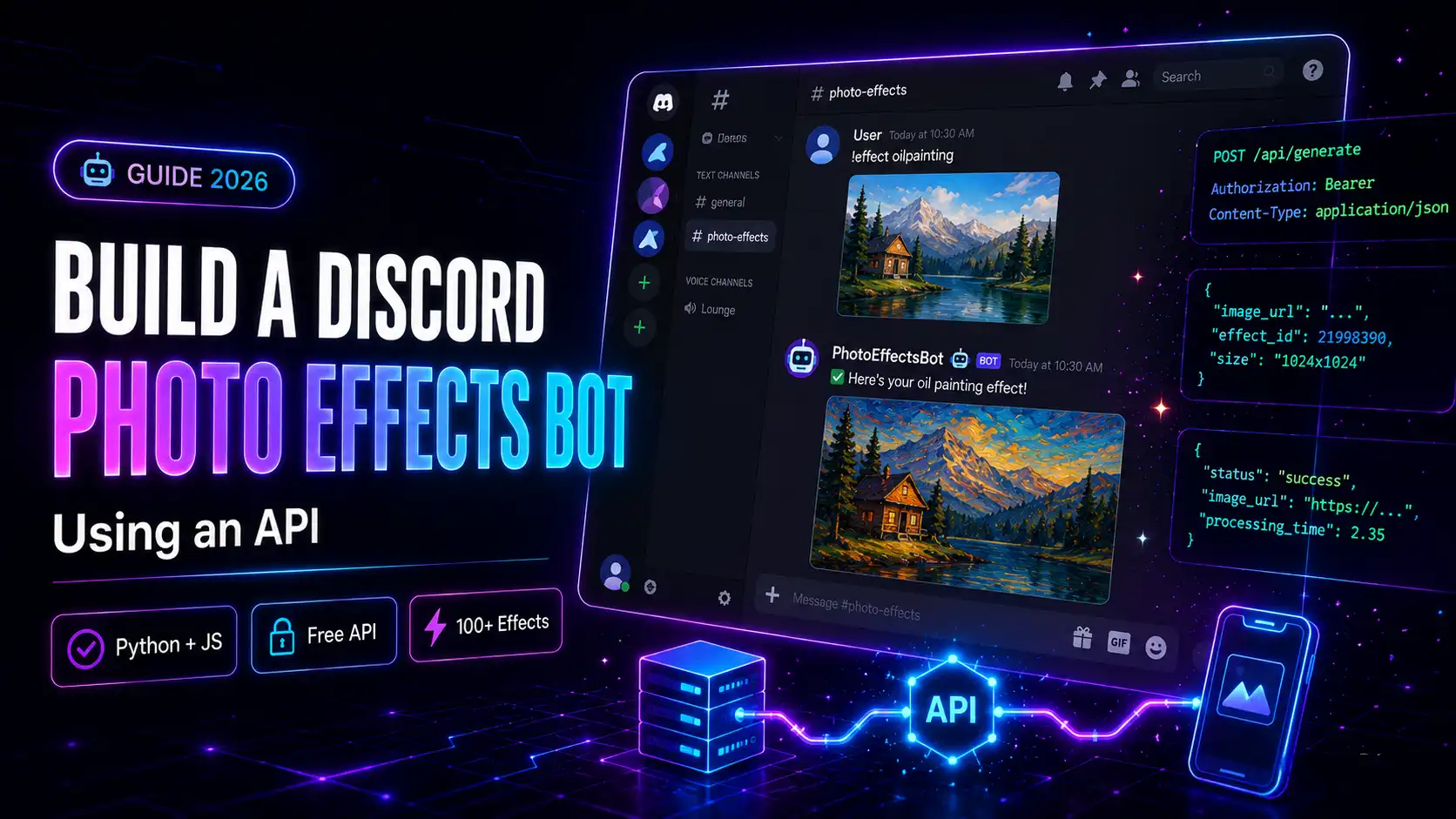
In this guide, we will build a Discord bot that:- Listens for photo uploads in a Discord server
- Applies a creative photo effect using the mypiceffects.com API
- Sends the processed result back in the same channel The bot can handle multiple users, multiple effects, and thousands of requests — and you can get it running in under 30 minutes.
- 100+ creative effects — oil painting, cartoon, neon, vintage, video animations
- Simple REST endpoint — one POST request per photo
- 50 free credits on signup + 10 free credits every day
- JSON response with direct media URL — easy to relay back to Discord
- 1 credit = 1 photo effect (image output)
- 2 credits = 1 video animation (MP4 output)
- 50 free credits on signup
- 10 free credits to redeem daily
- Paid plans from $5 for 500 credits
Why Build a Photo Effects Discord Bot?
Discord servers for art communities, gaming groups, and content creators are always looking for fun, interactive bots. A photo effects bot gives members a reason to stay active and share creative content. With the mypiceffects.com API, you get:Step 1 — Get Your mypiceffects.com API Key
Register at mypiceffects.com/register — your API key is generated instantly. You will find it on your dashboard under the 🔑 API Key card.Step 2 — Create a Discord Application and Bot
1. Go to discord.com/developers/applications 2. Click New Application and give it a name 3. Go to the Bot tab and click Add Bot 4. Under Privileged Gateway Intents, enable Message Content Intent 5. Copy your bot token — you will need it shortly 6. Go to OAuth2 → URL Generator, selectbot scope and Send Messages, Read Message History, Attach Files permissions
7. Open the generated URL and add the bot to your server
Step 3 — Choose an Effect ID
Go to mypiceffects.com/effects, browse the library, and select any effect. The Effect ID appears in the upload panel after you click a card. Copy it for use in your bot.Step 4 — Build the Bot in Python (discord.py)
Install the required packages:`
pip install discord.py requests aiohttp
`
Create your bot file:
`
import discord
import requests
import aiohttp
import io
TOKEN = "YOUR_DISCORD_BOT_TOKEN"
MYPICEFFECTS_KEY = "YOUR_API_KEY"
EFFECT_ID = "21998390" # Oil Painting — replace with your chosen effect
intents = discord.Intents.default()
intents.message_content = True
client = discord.Client(intents=intents)
@client.event
async def on_ready():
print(f"Bot is ready — logged in as {client.user}")
@client.event
async def on_message(message):
if message.author == client.user:
return
# Check if the message contains a photo attachment
if not message.attachments:
return
for attachment in message.attachments:
if not attachment.content_type or not attachment.content_type.startswith("image/"):
continue
await message.channel.send("✨ Applying effect — please wait...")
# Call mypiceffects.com API with the public attachment URL
response = requests.post(
"https://mypiceffects.com/api/generate",
headers={"Authorization": f"Bearer {MYPICEFFECTS_KEY}"},
json={"effect_id": EFFECT_ID, "photo_url": attachment.url}
)
data = response.json()
if data.get("success"):
media_url = data["media_url"]
media_type = data["type"]
# Download result and send back to Discord
async with aiohttp.ClientSession() as session:
async with session.get(media_url) as resp:
file_bytes = await resp.read()
ext = "mp4" if media_type == "video" else "jpg"
filename = f"mypiceffects_result.{ext}"
file = discord.File(io.BytesIO(file_bytes), filename=filename)
credits = data.get("credits_remaining", "?")
await message.channel.send(
f"🎨 Effect applied! Credits remaining: {credits}",
file=file
)
else:
await message.channel.send("❌ Could not process that photo. Please try again.")
client.run(TOKEN)
`
Step 5 — Let Users Choose Their Effect (Slash Commands)
Add slash command support so users can pick any effect:`
import discord
from discord import app_commands
EFFECTS = {
"oil_painting": "21998390",
"cartoon": "22968319",
"vintage_film": "51739461",
"neon_glow": "51952891",
"galaxy_space": "51202534",
}
@client.tree.command(name="effect", description="Apply a photo effect — reply to an image")
@app_commands.describe(effect_name="Choose an effect style")
@app_commands.choices(effect_name=[
app_commands.Choice(name="Oil Painting", value="oil_painting"),
app_commands.Choice(name="Cartoon", value="cartoon"),
app_commands.Choice(name="Vintage Film", value="vintage_film"),
app_commands.Choice(name="Neon Glow", value="neon_glow"),
app_commands.Choice(name="Galaxy Space", value="galaxy_space"),
])
async def apply_effect(interaction: discord.Interaction, effect_name: str):
effect_id = EFFECTS.get(effect_name)
await interaction.response.send_message(f"✨ Got it — applying {effect_name.replace("_", " ").title()} effect to the last image in this channel...")
`
Step 6 — Discord.js Version (Node.js)
Prefer JavaScript? Here is the discord.js equivalent:`
const { Client, GatewayIntentBits } = require("discord.js");
const fetch = require("node-fetch");
const client = new Client({
intents: [
GatewayIntentBits.Guilds,
GatewayIntentBits.GuildMessages,
GatewayIntentBits.MessageContent,
],
});
client.on("messageCreate", async (message) => {
if (message.author.bot) return;
if (!message.attachments.size) return;
const attachment = message.attachments.first();
if (!attachment.contentType?.startsWith("image/")) return;
await message.channel.send("✨ Applying effect...");
const res = await fetch("https://mypiceffects.com/api/generate", {
method: "POST",
headers: {
Authorization: "Bearer YOUR_API_KEY",
"Content-Type": "application/json",
},
body: JSON.stringify({
effect_id: "21998390",
photo_url: attachment.url,
}),
});
const data = await res.json();
if (data.success) {
await message.channel.send({
content: 🎨 Effect applied! Credits remaining: ${data.credits_remaining},
files: [{ attachment: data.media_url, name: "result.jpg" }],
});
} else {
await message.channel.send("❌ Could not process that photo.");
}
});
client.login("YOUR_DISCORD_BOT_TOKEN");
`
API Credit Cost for Discord Bots
The mypiceffects.com API uses a simple credit system:Try It Free on mypiceffects.com
Register at mypiceffects.com/register for your free API key — 50 credits to start building immediately. Full API documentation is at mypiceffects.com/docs.Try It Yourself — Free!
Apply 100+ creative photo effects and video animations online. 50 free credits on signup + 10 free credits every day.