Why Your Instagram Photos Need Creative Effects
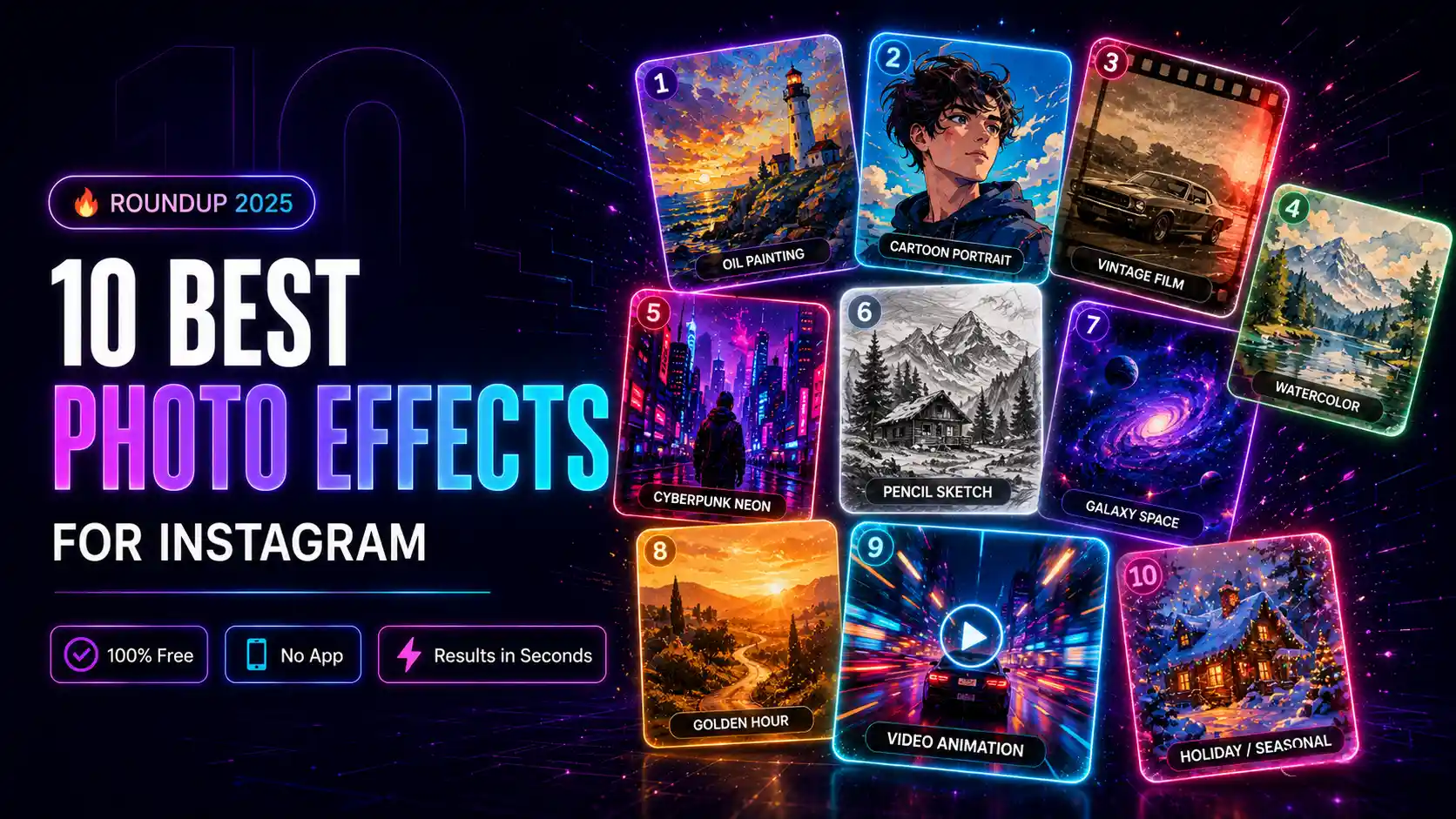
In 2025, the average Instagram user scrolls through hundreds of photos every day. To stop the scroll and get noticed, your photos need to stand out. One of the most effective ways to do that is with creative photo effects and filters. The good news? You do not need expensive software or a professional photographer. With mypiceffects.com, you can apply 100+ stunning effects to any photo for free — directly in your browser. Here are the 10 best photo effects for Instagram in 2026.1. Oil Painting Effect
Transform your selfie or landscape photo into a stunning digital oil painting. Rich textures and bold brush strokes make any photo look like a handcrafted masterpiece. Best for: Portrait photos, nature shots, travel photos.2. Cartoon Portrait Effect
Turn yourself or anyone into a smooth, stylized cartoon character. Perfect for profile pictures, fun posts, and viral content. Best for: Selfies, group photos, children's photos.3. Vintage Film Effect
Give your photos that classic 35mm film look with grain, faded colors, and light leaks. Hugely popular on Instagram for that nostalgic aesthetic. Best for: Street photography, lifestyle photos, food photos.4. Watercolor Effect
Soft, dreamy, and artistic — the watercolor effect makes any photo look like a hand-painted illustration. Beautiful for travel and nature content. Best for: Landscapes, flowers, architecture, travel.5. Cyberpunk Neon Effect
Bold neon colors, dark backgrounds, and futuristic vibes. One of the most shared effects on social media for its eye-catching, scroll-stopping quality. Best for: Night photography, portraits, urban shots.6. Sketch / Pencil Drawing Effect
Convert your photo into a realistic pencil sketch or charcoal drawing. Simple, elegant, and extremely shareable. Best for: Portraits, architecture, still life photography.7. Galaxy Space Effect
Place your subject against a stunning galaxy or space background. Creates dramatic, unique images that perform exceptionally well on Instagram. Best for: Portraits, creative content, profile pictures.8. Golden Hour Effect
Simulate the warm, soft golden-hour lighting that photographers chase at sunset. Makes any portrait look professional and cinematic. Best for: Outdoor portraits, selfies, lifestyle content.9. Video Animation Effects
Some effects on mypiceffects.com turn your still photo into an animated video — particles, light effects, looping animations. Video content gets significantly more reach on Instagram than static images. Best for: Reels, Stories, maximum engagement.10. Seasonal & Holiday Effects
From Christmas and Halloween to birthday and celebration frames — seasonal effects are consistently among the most shared content on social media. Best for: Holidays, events, celebrations, seasonal campaigns.How to Apply These Effects Free
All 10 of these effects — and many more — are available on mypiceffects.com: 1. Visit mypiceffects.com/effects 2. Browse the effects library and select one 3. Upload your photo (drag & drop) 4. Click Generate — result ready in seconds 5. Download and post to Instagram No account needed for your first 2 free generations. Register free to get 50 credits on signup plus 10 free credits every single day.Try It Free on mypiceffects.com
Stop using the same filters as everyone else. Browse 100+ unique photo effects and video animations on mypiceffects.com/effects — apply them free in seconds and watch your Instagram engagement grow.Try It Yourself — Free!
Apply 100+ creative photo effects and video animations online. 50 free credits on signup + 10 free credits every day.